Help with posting pics....
-
Every time I try and post a picture, "alttext" and "imageurl" pop up with a lot of exclamation points when I click the "picture" button. I know how to add a pic to just about every other site I've been to but I can't figure this one out. I really want to post a picture of my dog so you guys can tell me if you think she's part senj....or if I am incorrect about that. Any advice??
-
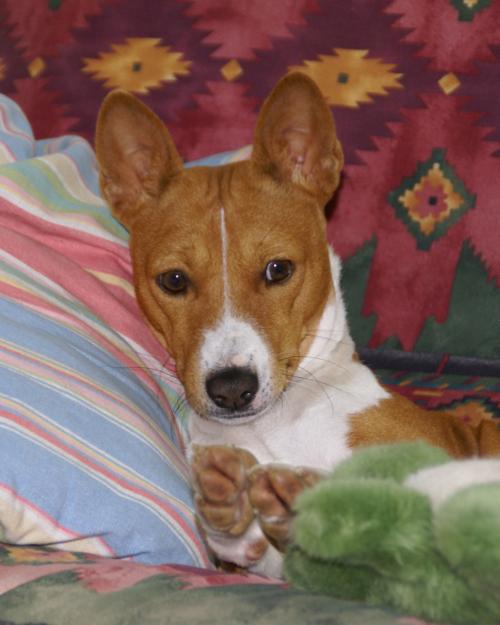
If you have the picture you want on line at another site you can link to it. The "image url" is where you insert the link (just delete the "image url" within the bracket and insert the url of the link), and the "alt text" is where you can put whatever word you want to indicate the link, e.g. "picture" or "here". Depending on where your picture is, it may hot link and then you would be able to view it right in your post, but otherwise people will be able to click on it and see your picture. Alternatively, if you want to upload a file from your computer you would click on the upload icon. My late, wonderful, Perry with his favourite toy....
-
This post is deleted!
-
@mturpin This took me longer than it should have to figure out... when you open the editing screen (which allows you to create a post or reply to one) you will notice a series of icons/images just above the "compose" area. The last icon looks like it should represent an old-school "out box" with a tray bar at the bottom and an arrow pointing upwards. Click that, it is your "upload" icon. When you click on it - it should trigger your computer file folder to pop up and allow you to choose one or many images from your hardrive. Once you select what you want to share, make sure it loads 100% before you hit the "submit" button. Hope that helps!
-
Just a note to mention that if the picture is too large the upload may not be successful. It's easy to downsize pictures. You may have an application that came with your camera that will do this. Alternatively there are a lot of free programs on line that you can use. Just be sure to work on a copy of the original, or "save as" under a different name, as you don't want to overwrite the original file. I always downsize pictures to post or to email.